
Free Color Contrast Ratio Checker
Check your colors against WCAG standards in seconds. 100% free, no sign-up — all processed in your browser for complete privacy.
Contrast Ratio
URL Scanner
Scan any site for WCAG issues
Pick a seed color and get WCAG-compliant harmonies.
Get the Free WCAG Contrast Checklist (PDF)
Every color pair that passes WCAG AA, plus the 10 most common failures — in one PDF. Free, no spam.
No spam, ever. One email with the checklist, then occasional accessibility tips. Unsubscribe anytime.
Chrome Extension
One-click full-page contrast scan for any website. Walks every visible text element, scores WCAG AA/AAA + APCA, highlights violations on the page, and suggests accessible alternatives you can apply instantly. Built-in eyedropper, color blindness simulation, draggable floating panel. 100% local processing, no account.
Figma Plugin
Check contrast without leaving Figma. Select any layer for instant WCAG + APCA results, scan entire frames for violations, simulate four types of color blindness, and apply accessible color fixes in one click — all inside your design canvas. Auto-detects font size and weight from your text layers.
Image Contrast Checker
Upload a design mockup or screenshot — click to sample text & background colors
Drop an image or click to upload
PNG, JPG, WebP, SVG — then click text & background areas
Click a plate to test your color vision
This is a screening tool only — not a medical diagnosis.
Real-World Preview
See how your colors look in real website components — nav bars, articles, buttons, forms, and links.
Building Accessible Interfaces
Color contrast is the foundation of readable web content. Without sufficient contrast between text and background, millions of users with visual impairments struggle to perceive your content.
Published June 2026 · 8 min read
For more information, please refer to our accessibility guidelines and WCAG compliance checklist.
Getting Started Guide
Learn how to integrate accessibility checks into your design workflow with our step-by-step tutorial.
Read more →Everything you need for accessible color
Five powerful tools in one toolkit — see them in action below.
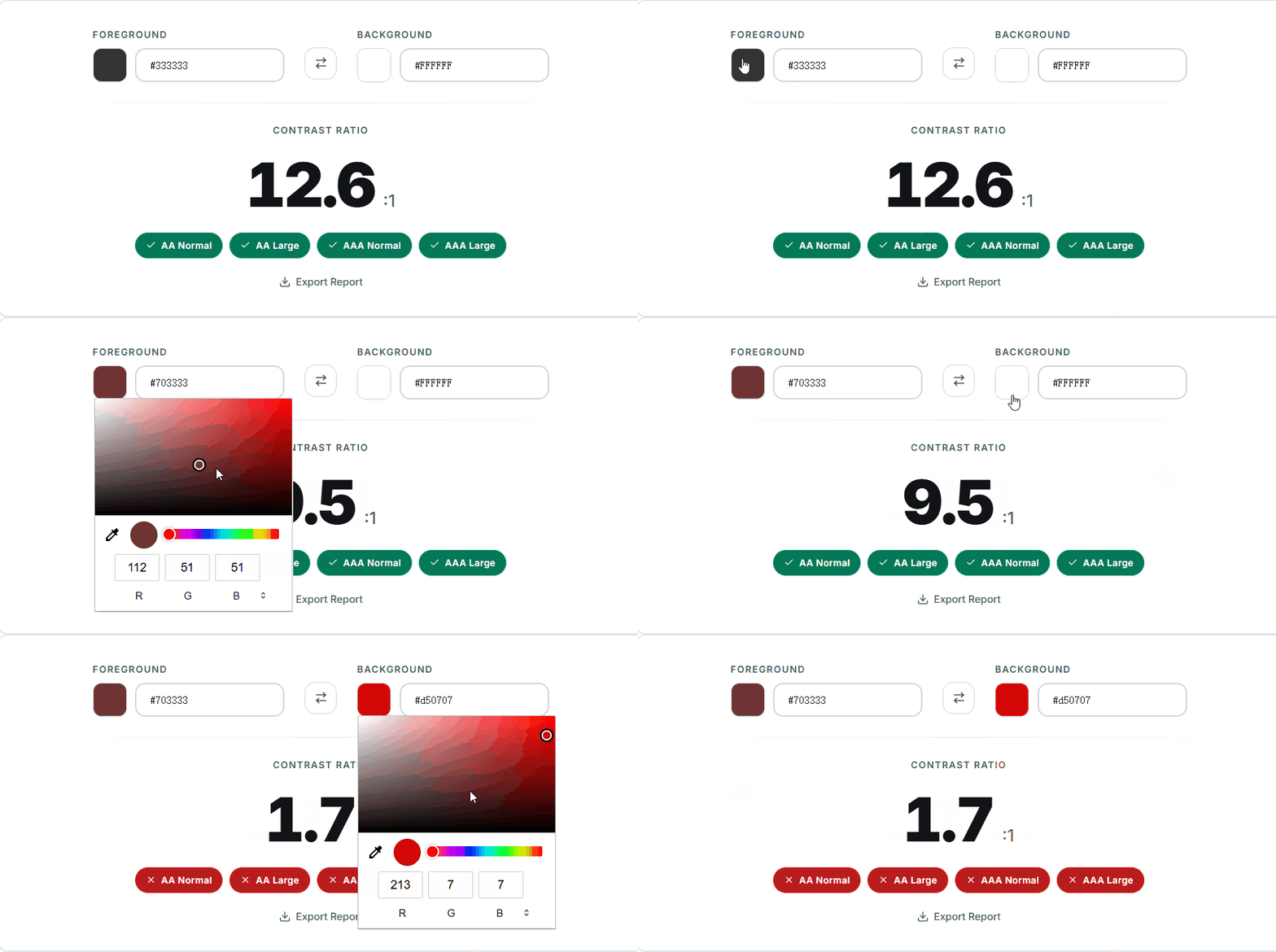
Real-Time WCAG Contrast Checker
Type any two hex codes and get instant AA/AAA pass/fail results across all four WCAG thresholds. See the exact ratio, a live text preview, and APCA perceptual scores — everything updates as you type.
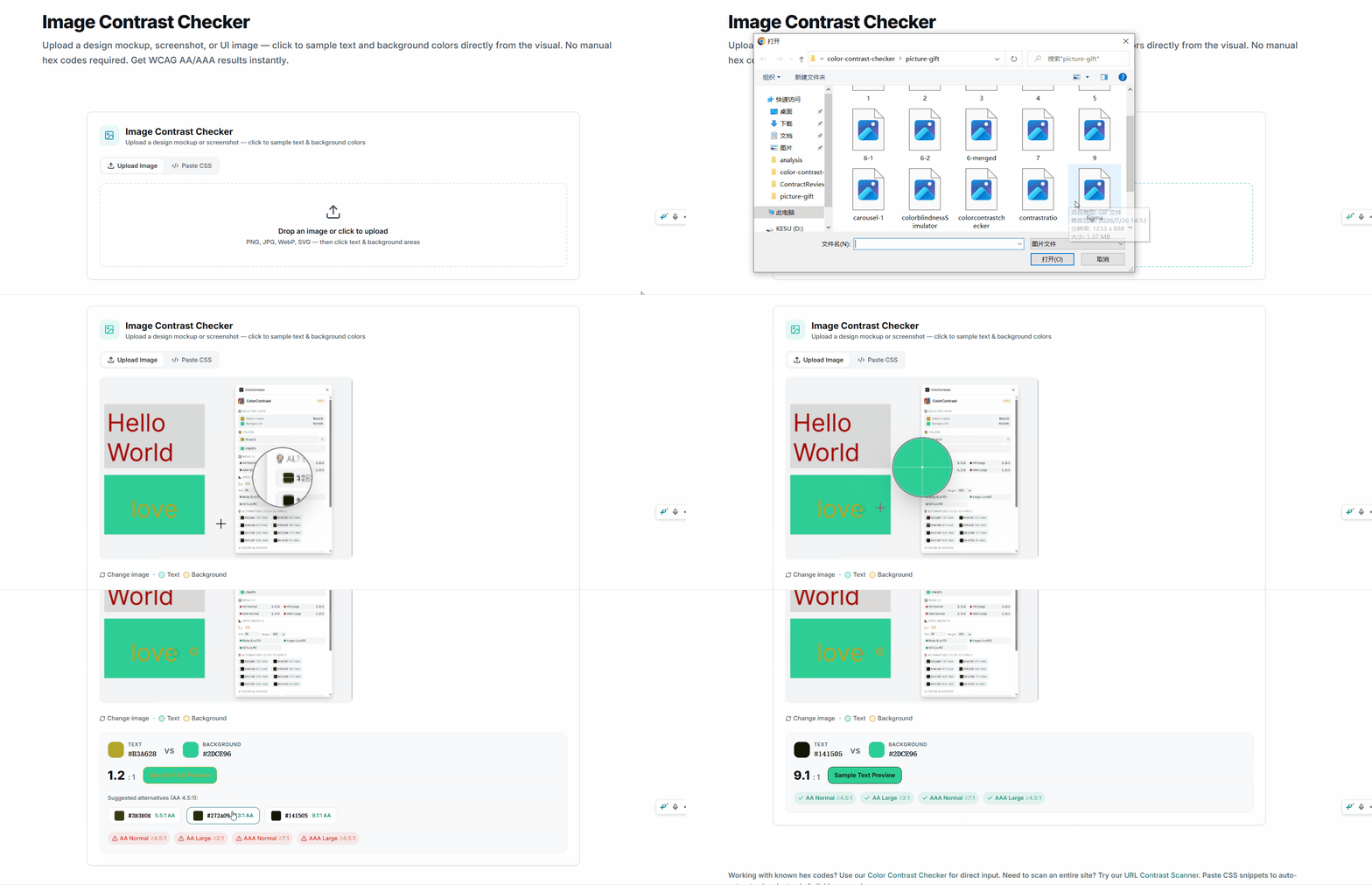
Sample Colors from Any Design
Upload a screenshot, mockup, or hero image, then click to pick foreground and background colors directly from the image. Two markers show exactly what you sampled — no guessing hex codes.
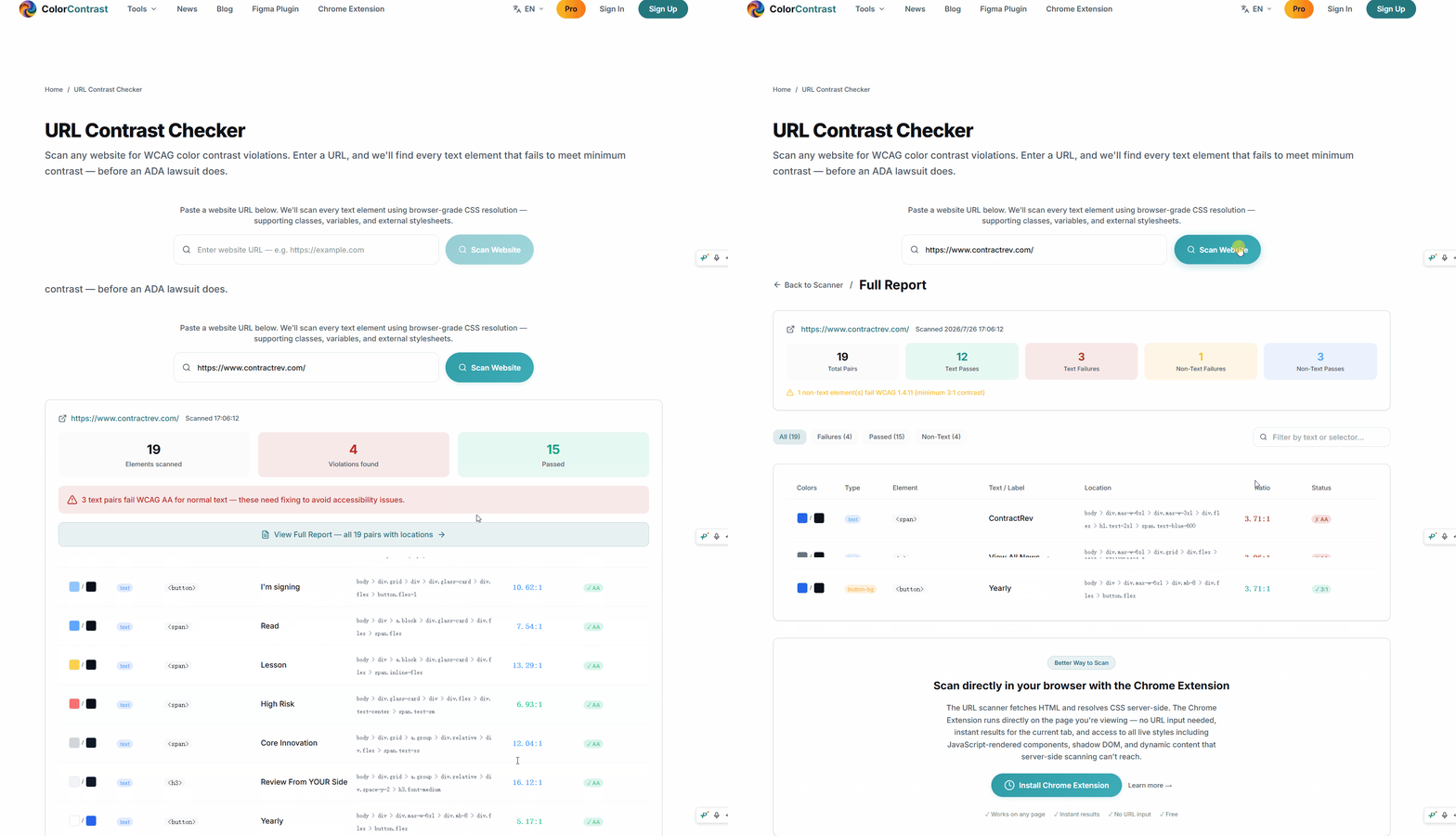
Scan Entire Websites Automatically
Paste any URL and get a full-page audit of every visible text element against its computed background. See exact colors, ratios, element tags, and jump to each violation — no manual checking needed.
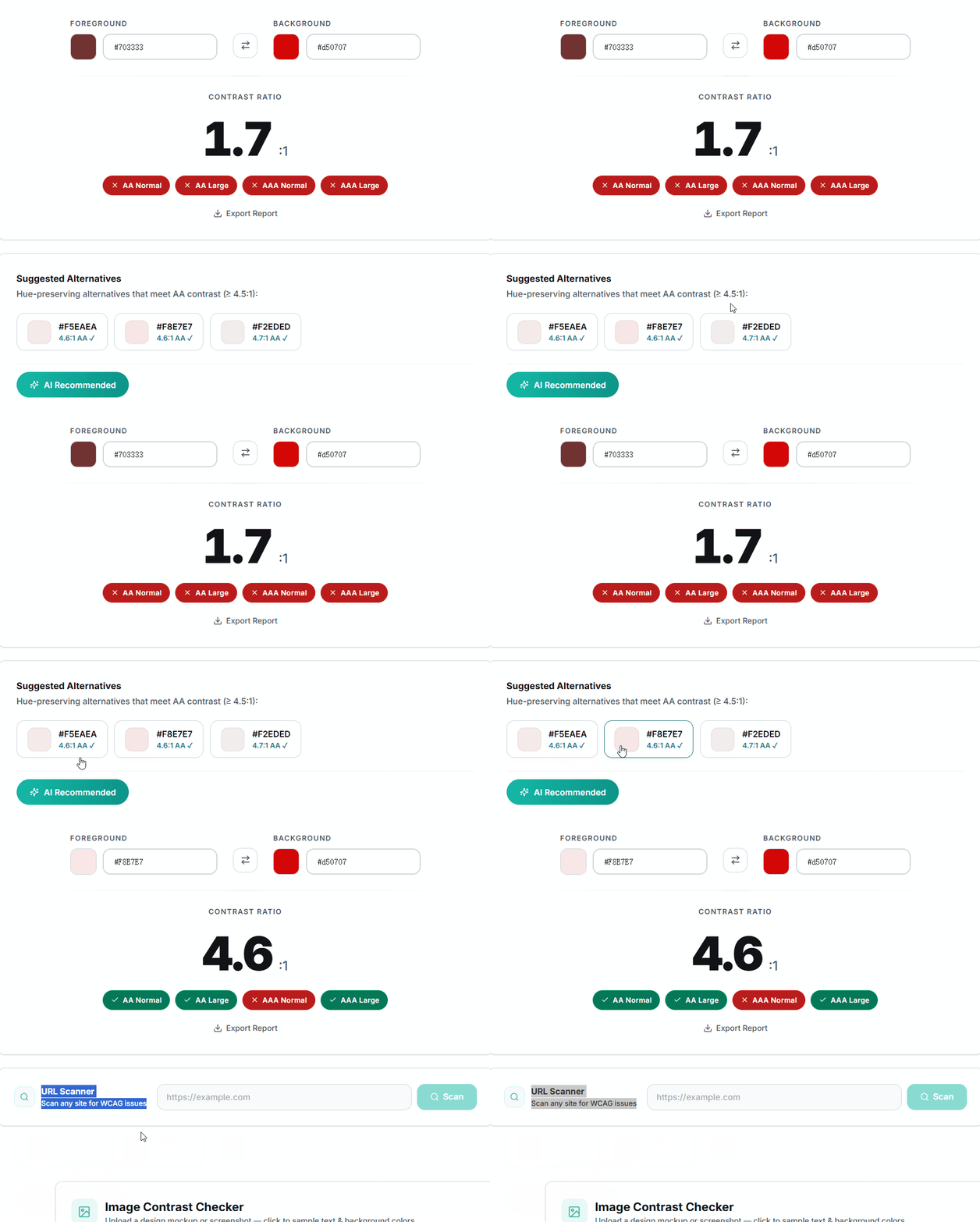
Find Accessible Alternatives Instantly
When a color pair fails, get WCAG-compliant alternatives that preserve your original hue — sorted by visual similarity. One click applies the fix. No AI, just real color math running in your browser.
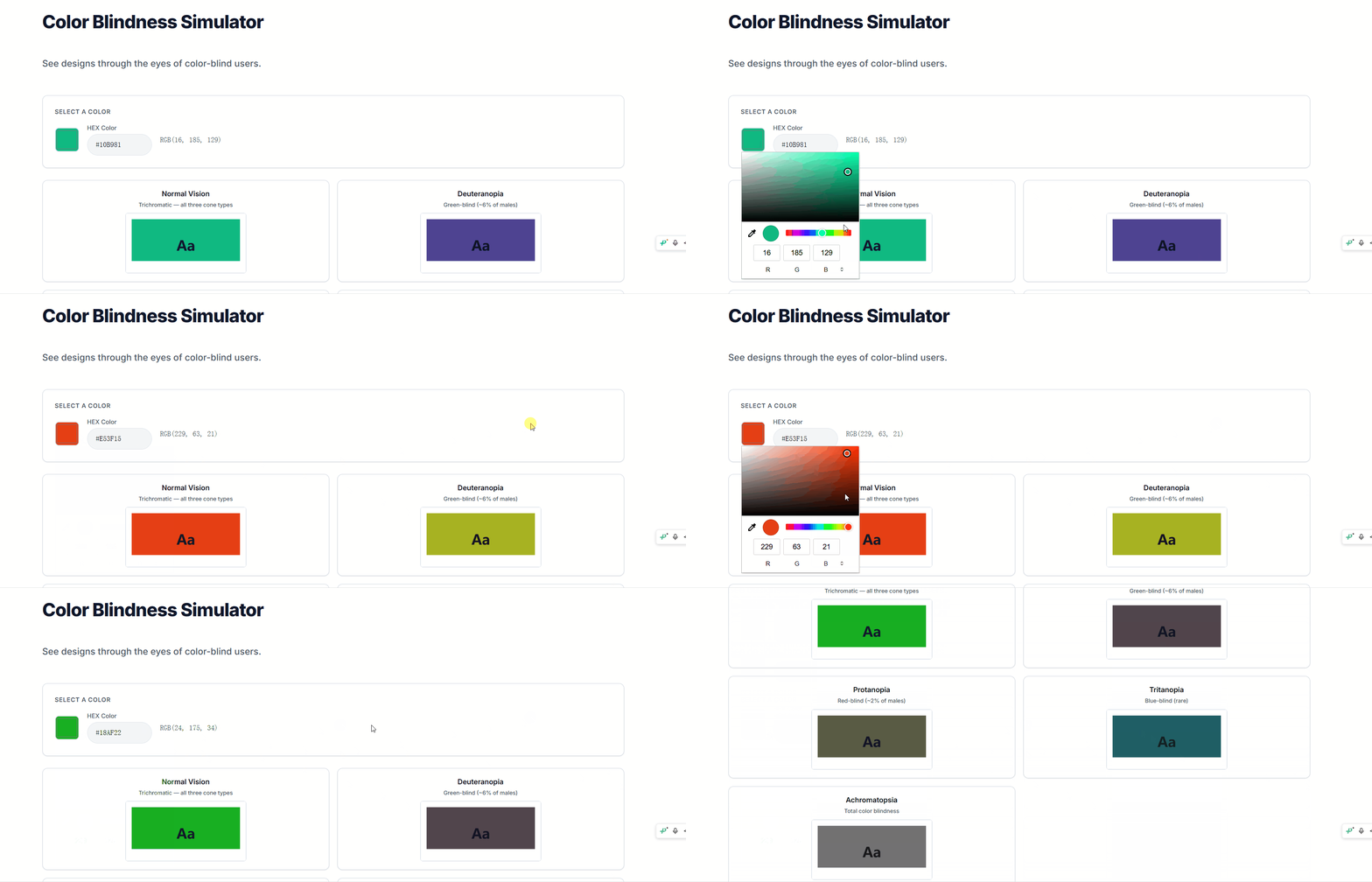
Simulate Color Vision Deficiencies
See your colors through the eyes of users with deuteranopia, protanopia, tritanopia, and achromatopsia. Test charts, UI, and palettes to ensure your design works for everyone.
Accessibility News & Guides
Track regulations and lawsuits worldwide, plus practical guides on color contrast and inclusive design.
Accessibility News
Regulations & lawsuits worldwide
European Accessibility Act Enforcement Begins — June 28, 2026 Deadline
The European Accessibility Act (EAA) comes into full force today, requiring WCAG 2.1 AA compliance for e-commerce, banking, transport, and media services across all EU member states.
ADA Website Lawsuits Hit Record 4,200+ Filings in 2025
Federal ADA Title III lawsuits targeting websites exceeded 4,200 filings in 2025, a 22% increase from 2024. Color contrast violations were cited in over 70% of demand letters.
California Supreme Court: Unruh Act Requires WCAG 2.1 AA for All Business Websites
A landmark California Supreme Court ruling confirms that the Unruh Civil Rights Act requires all business websites to meet WCAG 2.1 AA standards, with statutory damages of $4,000 per violation.
Accessible Canada Act: New Digital Service Standards Take Effect January 2026
Canada's ACA enters a new phase with mandatory WCAG 2.1 AA compliance for federally regulated digital services. Non-compliance penalties reach $250,000 per violation.
From the Blog
Guides & tutorials on color accessibility
Top 5 WCAG Testing Tools for Website Owners in 2026 (Tested & Ranked)
We tested every major WCAG testing tool and ranked the top 5 for website owners. From free Chrome extensions to enterprise platforms — here's what actually catches accessibility issues before they become lawsuits.
How to Fix Color Contrast Issues on Your Website (Step-by-Step Guide for Non-Developers)
Found contrast failures on your site? Here's exactly how to fix them — from identifying the worst violations to choosing accessible replacement colors. No coding knowledge required.
How to Scan Your Entire Website for Contrast Issues in One Click
Stop inspecting elements one by one. Here's how to scan every page on your site for WCAG contrast violations in seconds — and fix them before your users (or a lawyer) find them.
Dark Mode Contrast: The Complete Guide to WCAG-Compliant Dark UI (2026)
Dark mode breaks the contrast rules you learned for light mode. Here's why the same brand color fails on dark backgrounds, how halation makes white text hard to read, and exactly which dark mode color combinations pass WCAG AA/AAA.
More Than a Ratio Calculator
Real differentiators you won't find in most contrast tools — built for designers and developers who need more than just a pass/fail badge.
WCAG + APCA Dual Engine
Most tools only do WCAG 2.x. We give you both WCAG AA/AAA pass/fail and APCA perceptual contrast scores — the candidate algorithm for WCAG 3.0. Font-size-aware thresholds, not a one-size-fits-all number.
100% Private, No Sign-Up
Every contrast calculation runs directly in your browser — no server round-trips, no data collection, no account required. The code ships with the page; inspect it, audit it, trust it. No usage limits, no paywalls, ever.
Live URL Scanner
Paste any URL and get a full-page WCAG audit in seconds. Every visible text element is checked against its computed background — see exact colors, ratios, and jump to each violation on the page. No other free tool does this.
15+ Specialized Checkers
Not just a two-color calculator. Dedicated tools for gradients, buttons, links, icons, headings, form inputs, and brand palettes. Plus: color blindness simulator (4 CVD types), palette generator, pie chart tester, and PDF export for compliance reports.
Everything you need to know
Have more questions? Visit our full FAQ or reach out through our contact page.
What is a color contrast checker?
A color contrast checker is a tool that measures the contrast ratio between two colors (typically foreground text and background) and tells you whether it meets WCAG accessibility standards. It helps ensure your content is readable by people with visual impairments, color blindness, or anyone viewing your site in challenging lighting conditions.
What contrast ratio do I need for WCAG compliance?
For WCAG AA compliance (the minimum legal standard in many jurisdictions), normal text needs a contrast ratio of at least 4.5:1, and large text (18px+ or 14px+ bold) needs at least 3:1. For the stricter WCAG AAA level, normal text requires 7:1 and large text requires 4.5:1. Our tool checks all four thresholds simultaneously.
Is this tool really free?
Yes, completely free. There's no sign-up required, no usage limits, and no hidden costs. All calculations run in your browser — no data is ever uploaded to any server.
What is APCA and how is it different from WCAG?
APCA (Advanced Perceptual Contrast Algorithm) is the next-generation contrast calculation method being developed for WCAG 3.0. Unlike the current WCAG 2.x formula, APCA accounts for font size, font weight, and whether text is on a light or dark background — making it more accurate for real-world readability.
Can I use this tool for commercial projects?
Absolutely. Use it for personal projects, client work, enterprise design systems — anything. The tool runs locally in your browser, so your color choices and design data stay private.
Does this tool support gradient backgrounds?
Yes! Our Gradient Contrast Checker lets you test text on gradient backgrounds — a scenario that most free tools don't handle.