
Catch Contrast Violations on Any Page in One Click
Scan entire websites for WCAG AA/AAA failures, pick colors with the eyedropper, and get accessible alternatives — all from a draggable panel that lives on the page. No sign-up. No data collection. Everything runs locally.
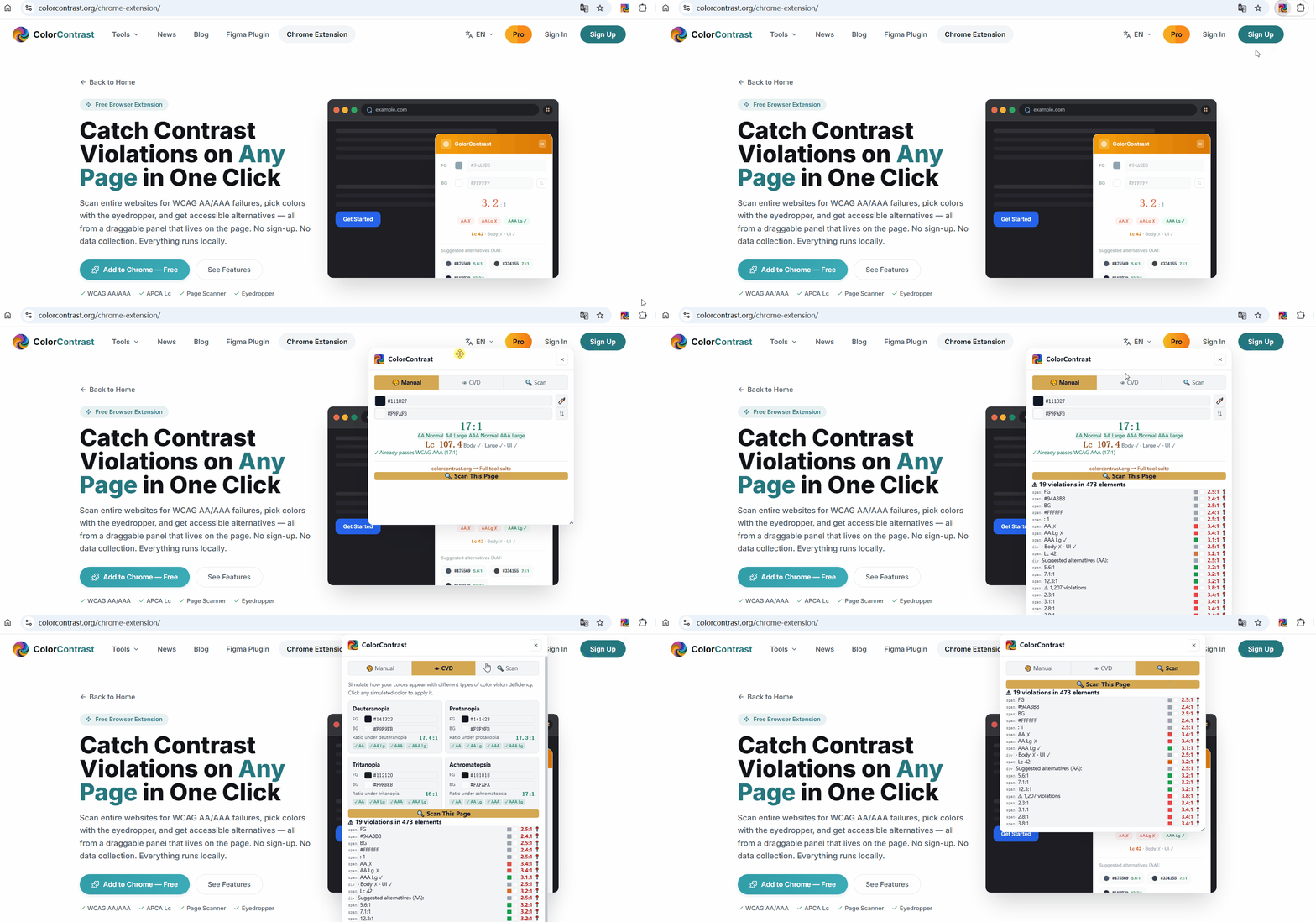
See Every Violation. Jump to Any Element.
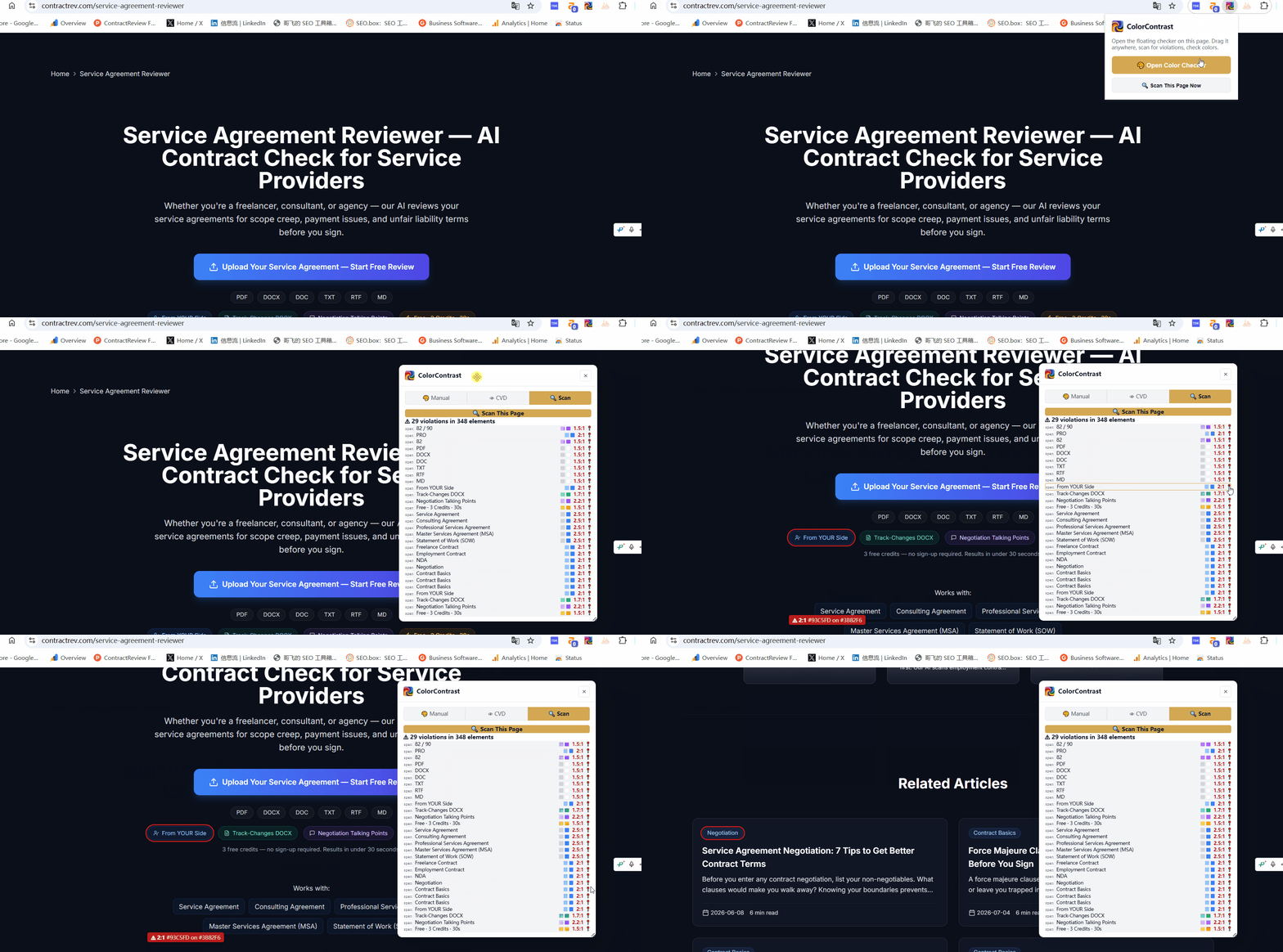
The scanner audits every visible text element on the page — paragraphs, headings, buttons, links, labels, and more. Each result shows the exact foreground and background colors with swatches, the contrast ratio, and a locate button that scrolls you straight to the offending element with a red highlight and floating label.
Everything You Need to Audit Contrast
Not just a ratio calculator — a complete accessibility inspection tool.
One-Click Page Scanner
Scan any webpage for WCAG contrast violations in seconds. Each result shows the element tag, text, exact colors, and contrast ratio — click to jump to the element on the page with a red highlight. No manual input needed.
Built-in Eyedropper
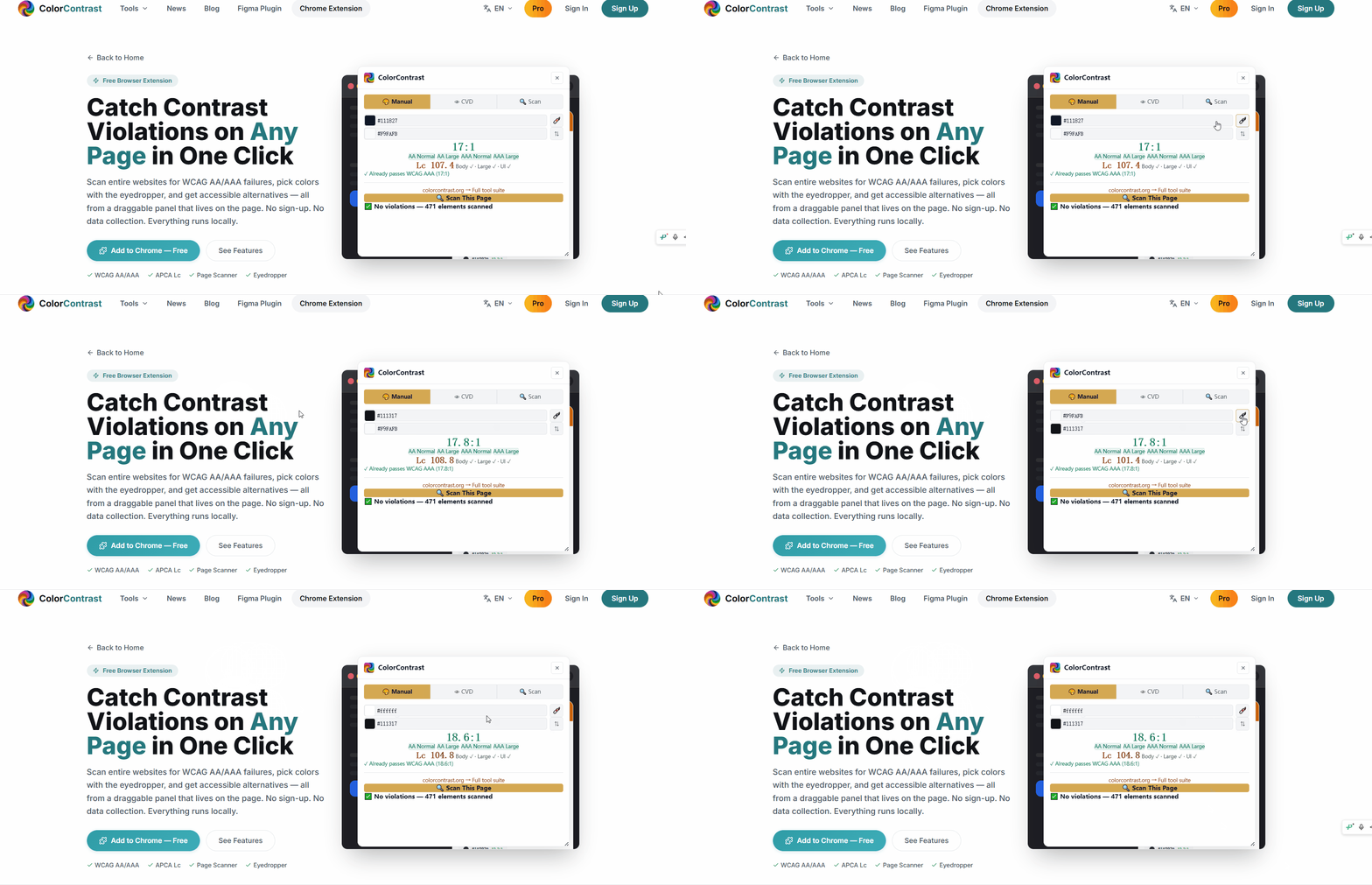
Pick any color directly from the page using the native EyeDropper API. No more guessing hex codes or switching to external color pickers — just point at any pixel on the screen and click.
WCAG + APCA Dual Engine
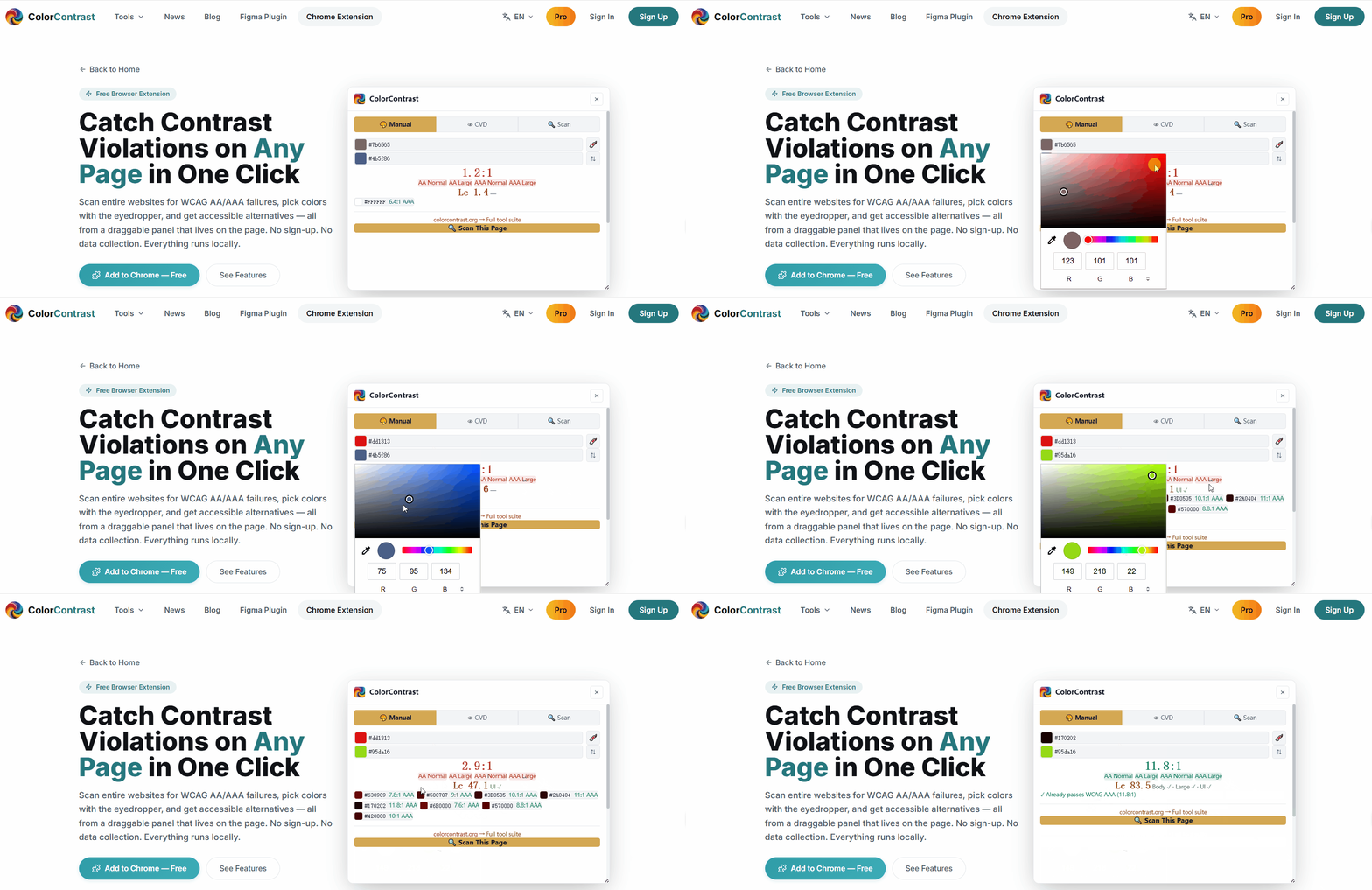
See WCAG AA/AAA pass/fail and APCA perceptual contrast scores side by side. Font-size-aware thresholds, hue-preserving color alternatives sorted by visual similarity — one click swaps in the fix.
Floating Draggable Panel
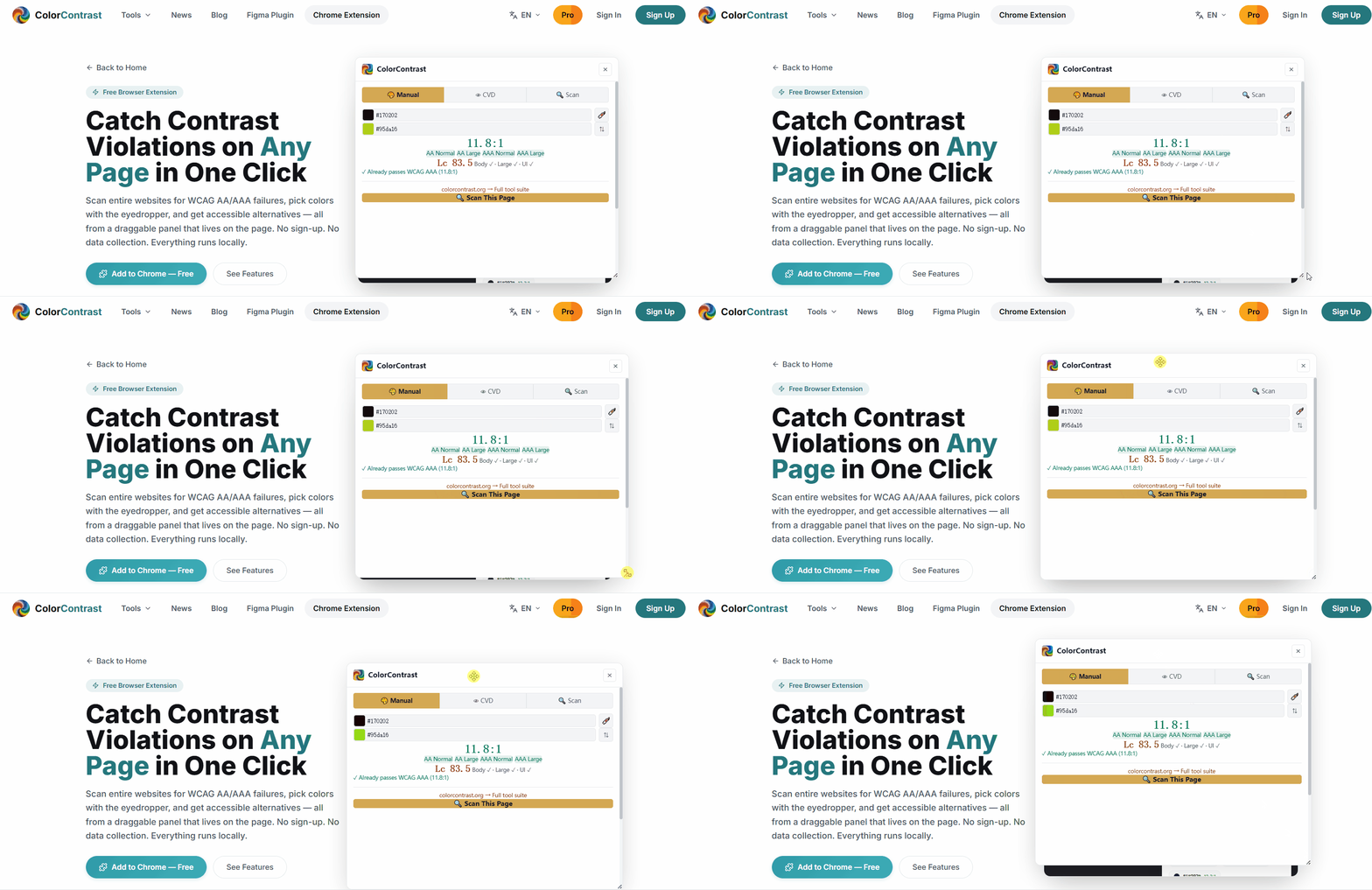
The checker lives as a resizable, draggable card right on the page — not in a separate window or popup. Position it anywhere, resize it, and keep scanning without losing context.
Instant Alternatives
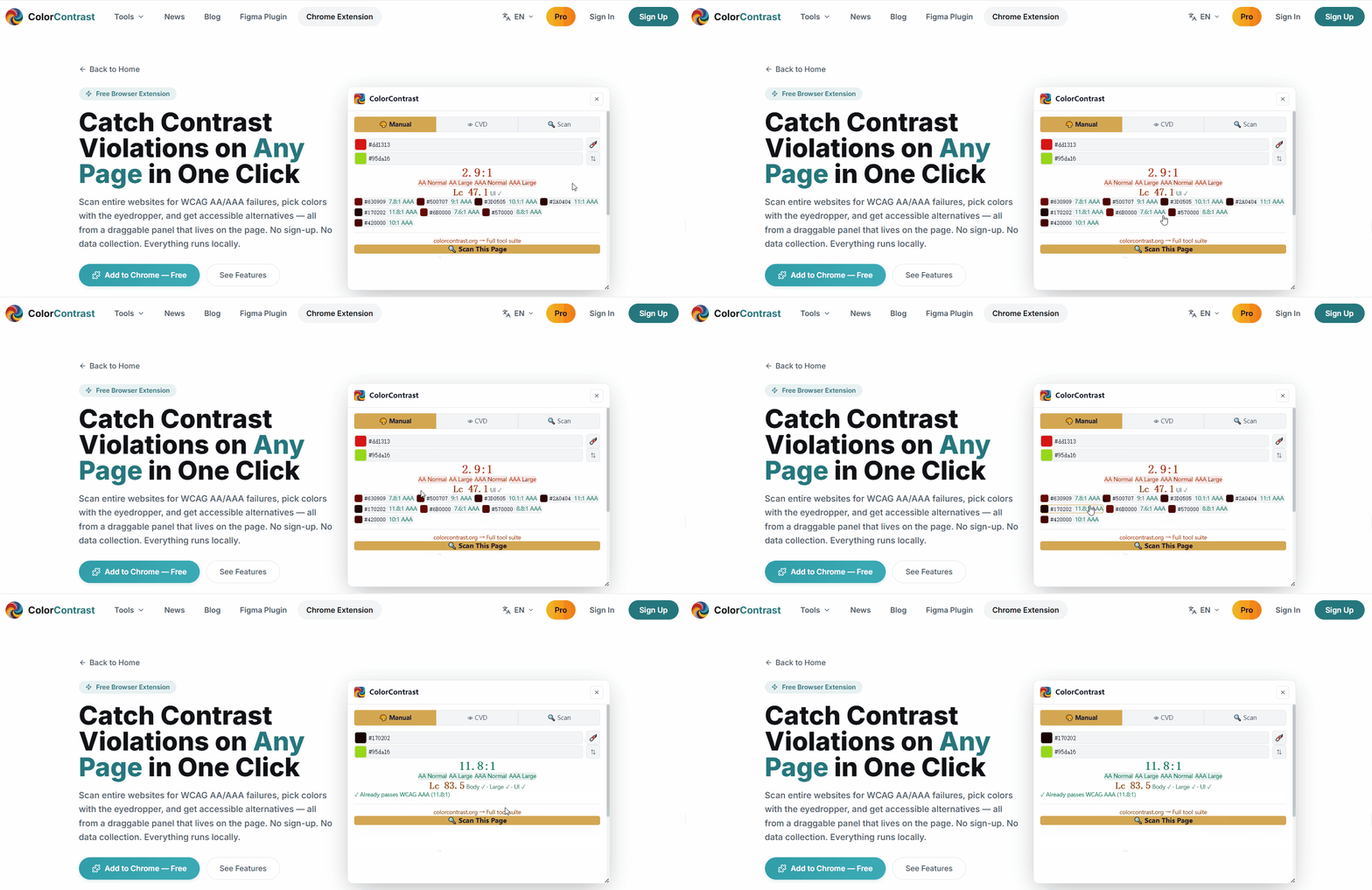
When a color pair fails, get AAA-compliant alternatives sorted by visual similarity. One click applies the new color — no trial and error, no guesswork. See exactly how much contrast each alternative delivers before you commit.
100% Private & Free
All calculations run locally in your browser. No account required, no data sent anywhere, no usage limits. The extension will always be free.
Add to Chrome — It's Free
One click installs the extension. No account, no sign-up, no data collection. Appears in your toolbar instantly — ready to scan any page.
Add to Chrome — It's FreeOne-click install from the Chrome Web Store. No account required.
Who Uses It
Designers
Audit your own designs in production. Spot contrast issues before clients or users do. Use the eyedropper to sample colors from any live site for inspiration.
Developers
Integrate contrast checking into your QA workflow. Scan staging deployments, internal tools, and dashboards for accessibility regressions before shipping.
Accessibility Auditors
Quickly triage contrast problems across entire sites. Generate a violation list in seconds, then dive into each element for detailed WCAG + APCA analysis.
Content Creators
Ensure your blog posts, landing pages, and marketing sites are readable by everyone. No technical knowledge required — point, click, scan.
FAQ
Ready to Find Every Contrast Bug?
Install in 30 seconds. No account. No limits. No data collection. All calculations run locally in your browser.
Add to Chrome — FreeAlso check out the Figma Plugin — contrast checking inside your design tool.