
Check Contrast Inside Figma
Select any layer — text, shape, or frame — and get WCAG AA/AAA results, APCA scores, and color blindness previews instantly. Apply accessible alternatives in one click without leaving your design file.
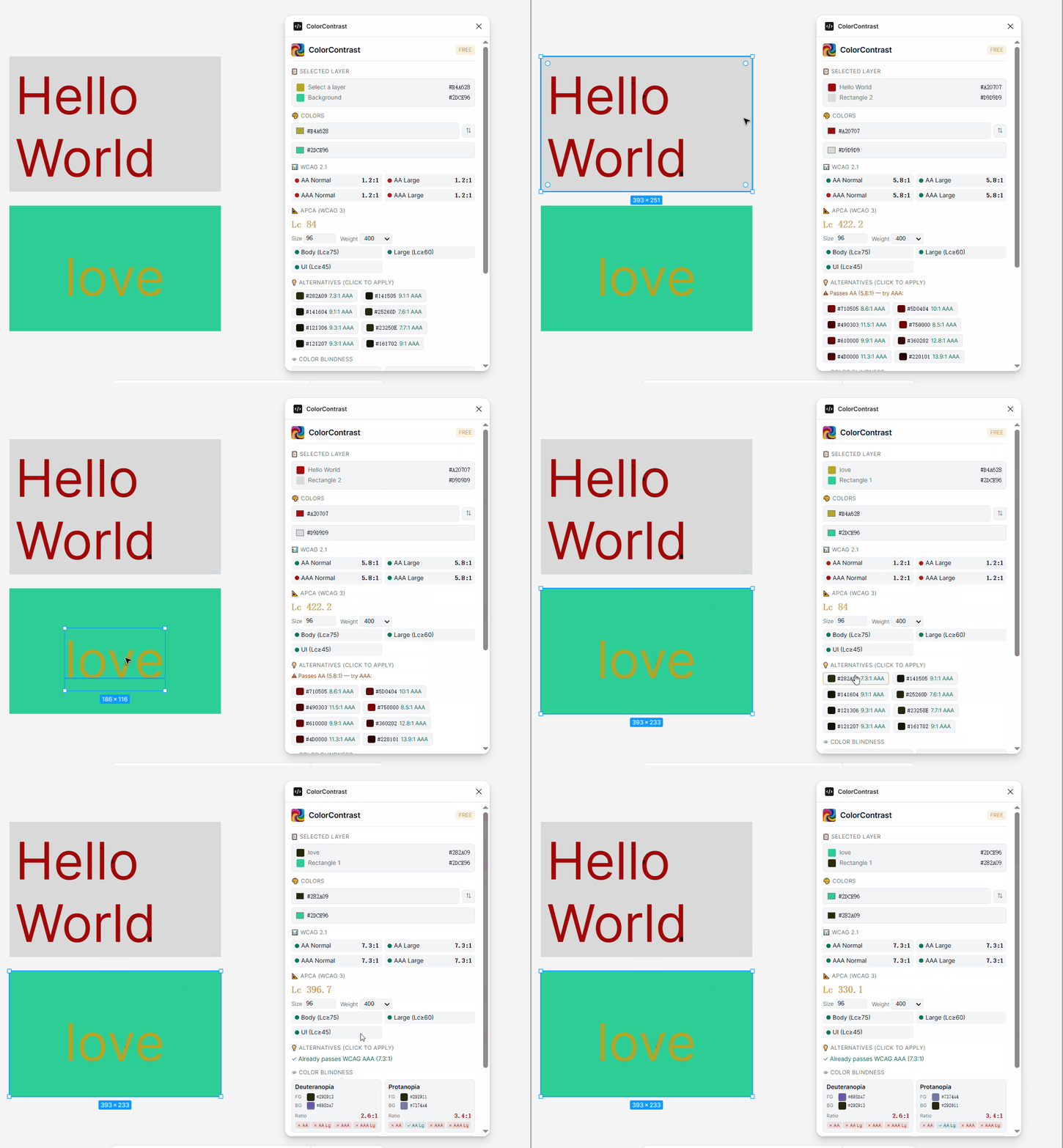
Select layer → instant results → click to fix
How to Install
One click from the Figma Community
Open Listing
Click the button above to open the plugin on Figma Community.
Install
Click the "Install" button on the Figma Community page.
Run It
In any Figma file: Plugins → ColorContrast.
Manual install (development mode)
Download the ZIP file, unzip, then in Figma Desktop: Plugins → Development → Import plugin from manifest… → select manifest.json.
What the Plugin Does
Everything you need to make your designs accessible — all inside Figma.
Instant WCAG & APCA
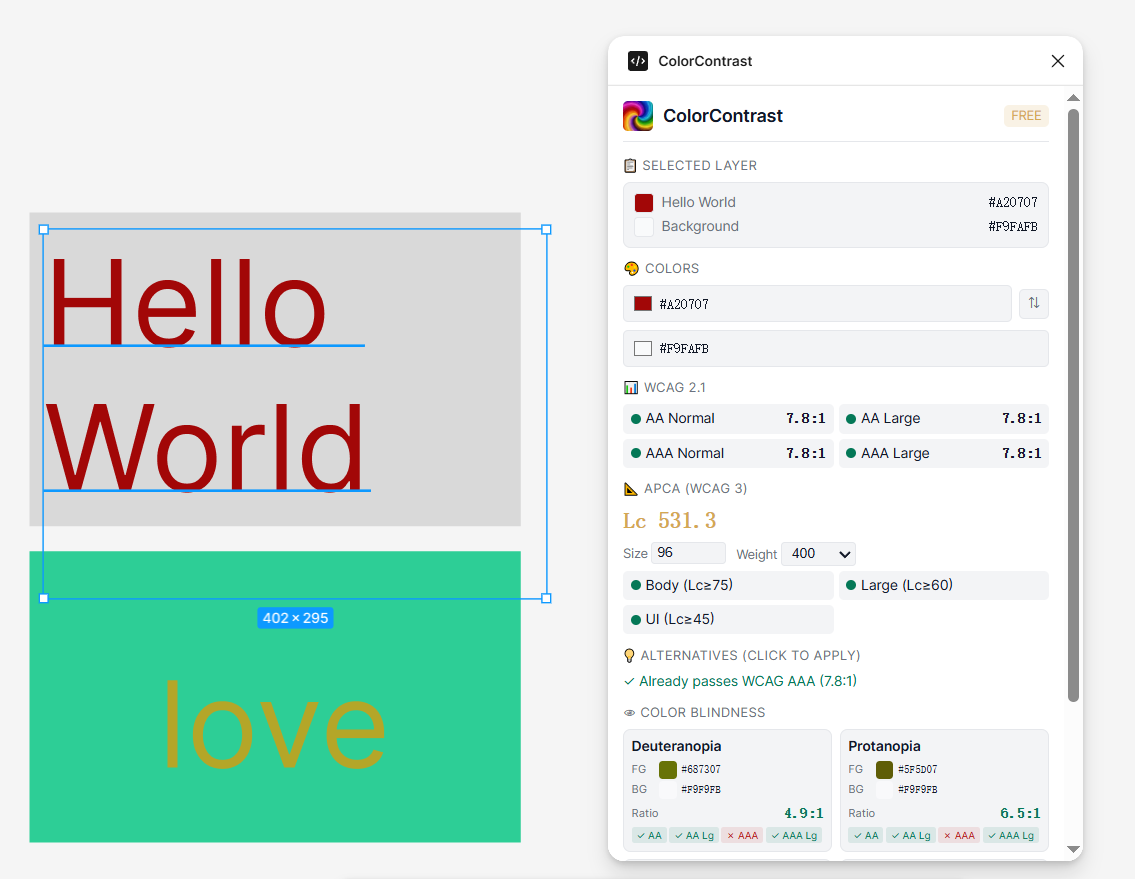
Select any layer in Figma and see WCAG AA/AAA and APCA results in real time — no manual color input needed. Font size and weight auto-detected from your text layers.
One-Click Alternatives
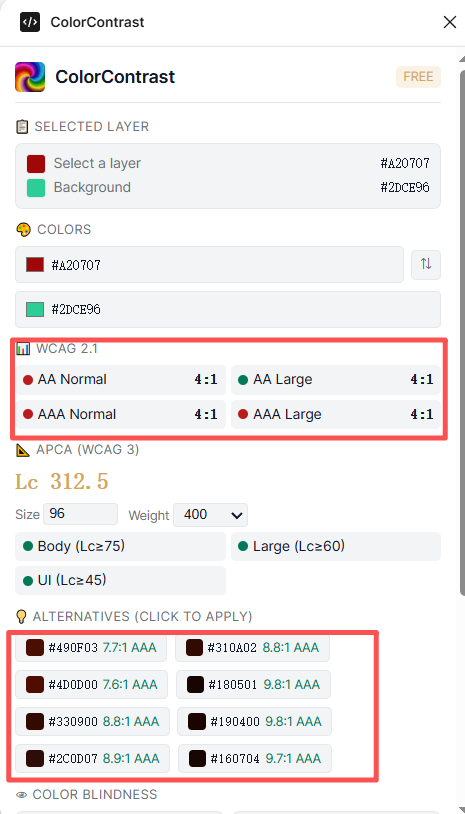
Get hue-preserving accessible color suggestions. See the exact contrast ratio for each. Click any alternative to apply it directly to the selected layer — no hex copy-paste.
Color Blindness Preview
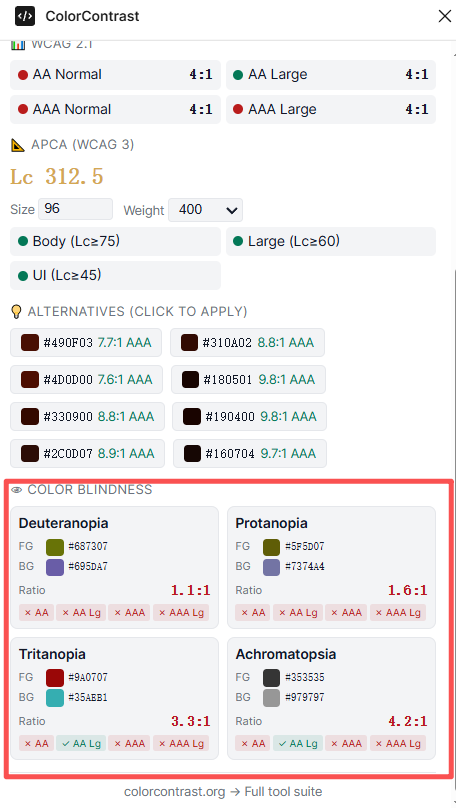
Instantly simulate deuteranopia, protanopia, tritanopia, and achromatopsia. See how your colors look across all four CVD types without leaving Figma.
Ready to Check Contrast in Figma?
Free. No sign-up. Works entirely inside Figma. All calculations run locally.
Install from Figma Community — FreeAlso available: Chrome Extension — scan entire websites for contrast violations.